


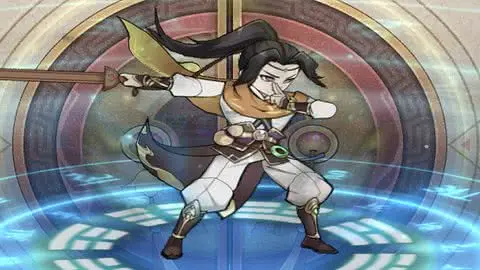
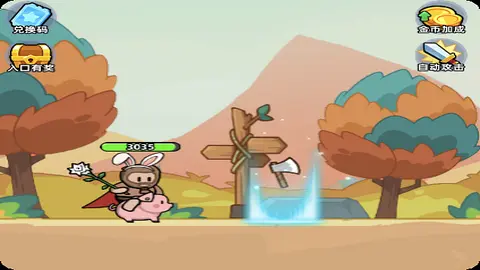
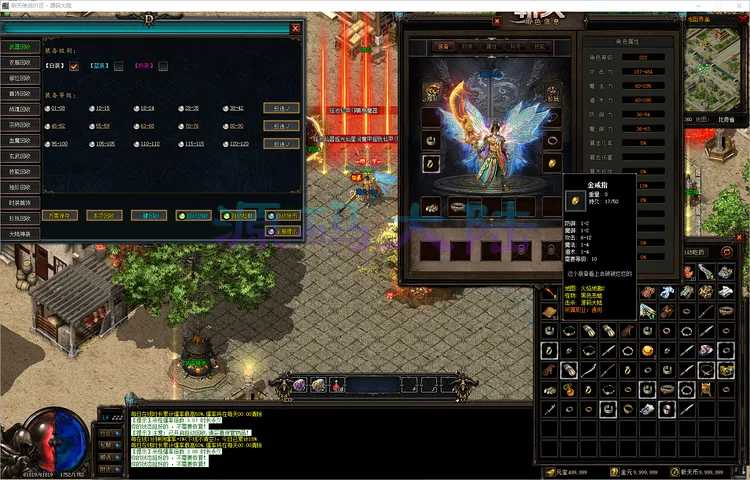
盖世神功 (竖屏 720P 强化版)
本方案由源码大陆优化:通过逻辑分辨率重绘与 CSS 物理视口双重加固,确保武侠 UI 界面在任何机型下均能保持 9:16 完美比例。
优化核心
比例加固
比例加固
容器单位:vh/vw 动态换算
策略注入:ResolutionPolicy.SHOW_ALL
策略注入:ResolutionPolicy.SHOW_ALL
🛠️ 逻辑优化说明(站长亲测)
- CocosContainer 黄金比例: 通过 CSS 的
vh换算机制,建立了一个严格的 9:16 物理堡垒,防止游戏 Canvas 在折叠屏或平板设备上被无限拉宽。 - 延迟执行 fixResolution: 由于 Cocos 的
main.js往往带有默认分辨率设置,本方案特意在window.boot之后设置了 100ms 的延迟注入,确保修正逻辑拥有最高优先级。 - SHOW_ALL 策略保护: 强制指定
cc.ResolutionPolicy.SHOW_ALL,这对于此类带有复杂技能栏和血条的游戏至关重要,能保证所有核心战斗 UI 始终位于可视区域。 - 物理引擎依赖修复: 针对指纹码为
f1aa5的引擎包,代码通过对CC_PHYSICS_BUILTIN的类型检查,优化了脚本加载顺序,避免了物理系统未就绪导致的场景加载黑屏。
<!DOCTYPE html>
<html>
<head>
  <meta charset="utf-8">
  <title>Cocos Creator | gaishishengongov</title>

  <meta name="viewport" content="width=device-width,user-scalable=no,initial-scale=1, minimum-scale=1,maximum-scale=1"/>
  <meta name="apple-mobile-web-app-capable" content="yes">
  <meta name="apple-mobile-web-app-status-bar-style" content="black-translucent">
  <meta name="format-detection" content="telephone=no">

  <meta name="renderer" content="webkit"/>
  <meta name="force-rendering" content="webkit"/>
  <meta http-equiv="X-UA-Compatible" content="IE=edge,chrome=1"/>
  <meta name="msapplication-tap-highlight" content="no">

  <meta name="full-screen" content="yes"/>
  <meta name="x5-fullscreen" content="true"/>
  <meta name="360-fullscreen" content="true"/>
  <meta name="screen-orientation" content="portrait"/>
  <meta name="x5-orientation" content="portrait">

  <link rel="stylesheet" type="text/css" href="style-mobile.25fc5.css"/>
  <link rel="icon" href="favicon.8de18.ico"/>

  <style>
    /* 1. 强制 Body 居中排版 */
    html, body {
      margin: 0 !important;
      padding: 0 !important;
      width: 100% !important;
      height: 100% !important;
      background-color: #000 !important;
      overflow: hidden;
      display: flex;
      justify-content: center;
      align-items: center;
    }

    /* 2. 建立 720p 容器,锁定 9:16 比例 */
    #CocosContainer {
      position: relative;
      width: 56.25vh !important; /* 高度优先,计算宽度 100 * 9 / 16 */
      height: 100vh !important;
      max-width: 100vw;
      max-height: 177.78vw; /* 宽度优先,计算高度 100 * 16 / 9 */
      overflow: hidden;
      background-color: #000;
    }

    /* 3. 让 Canvas 铺满容器 */
    #GameCanvas {
      width: 100% !important;
      height: 100% !important;
      display: block;
    }

    #splash {
      position: absolute;
      top: 0;
      left: 0;
      width: 100%;
      height: 100%;
      background: #171717 url(./splash.png) no-repeat center;
      background-size: contain;
    }

    .progress-bar {
      position: absolute;
      bottom: 15%;
      left: 10%;
      width: 80%;
    }
  </style>
</head>
<body>
  <div id="CocosContainer">
    <canvas id="GameCanvas" oncontextmenu="event.preventDefault()" tabindex="0"></canvas>
    <div id="splash">
      <div class="progress-bar stripes">
        <span style="width: 0%"></span>
      </div>
    </div>
  </div>

<script src="src/settings.b0545.js" charset="utf-8"></script>
<script src="main.413bb.js" charset="utf-8"></script>

<script type="text/javascript">
(function () {
    if (typeof VConsole !== 'undefined') {
        window.vConsole = new VConsole();
    }

    var debug = window._CCSettings.debug;
    var splash = document.getElementById('splash');
    splash.style.display = 'block';

    // 关键修正:强制注入 720x1280 设计分辨率逻辑
    function fixResolution() {
        if (window.cc && cc.view) {
            // 设置 720x1280 逻辑尺寸,采用 SHOW_ALL 策略确保 UI 不变形
            cc.view.setDesignResolutionSize(720, 1280, cc.ResolutionPolicy.SHOW_ALL);
            cc.view.resizeWithBrowserSize(true);
        }
    }

    function loadScript (moduleName, cb) {
      function scriptLoaded () {
          document.body.removeChild(domScript);
          domScript.removeEventListener('load', scriptLoaded, false);
          cb && cb();
      };
      var domScript = document.createElement('script');
      domScript.async = true;
      domScript.src = moduleName;
      domScript.addEventListener('load', scriptLoaded, false);
      document.body.appendChild(domScript);
    }

    loadScript(debug ? 'cocos2d-js.js' : 'cocos2d-js-min.f1aa5.js', function () {
      if (typeof CC_PHYSICS_BUILTIN !== 'undefined' && (CC_PHYSICS_BUILTIN || CC_PHYSICS_CANNON)) {
        loadScript(debug ? 'physics.js' : 'physics-min.js', function() {
            // 引擎启动后立即执行分辨率修正
            window.boot();
            setTimeout(fixResolution, 100);
        });
      }
      else {
        window.boot();
        // 延迟执行确保覆盖 main.js 中的默认设置
        setTimeout(fixResolution, 100);
      }
    });
})();
</script>
</body>
</html>
原创
温馨提示:
感谢阅读!本文由 源码大陆 原创分享。
如果教程对你有帮助,欢迎转发分享给更多朋友!转载请务必保留本文出处。
本文链接:
© 版权声明
© 版权声明:本站资源均由会员上传或网络收集,仅供游戏源码研究与技术学习,请于24小时内删除。如有侵权请联系 44416072@qq.com,详情请阅读:源码大陆免责协议。
THE END
暂无评论内容