


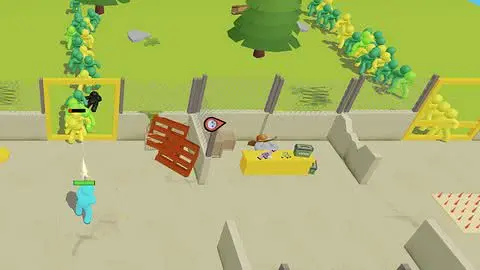
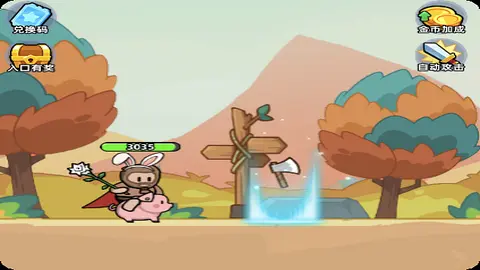
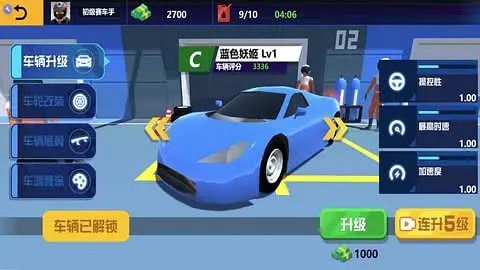
末日打僵尸 (CC3x8 高清重制版)
本方案由源码大陆优化:专门解决 Cocos Creator 3.x 高版本在浏览器 resize 过程中可能出现的 UI 消失或模糊现象。
修复重点
UI 强刷
UI 强刷
核心架构:Cocos 3.x (SystemJS)
适配技术:DPR 高清同步 / SHOW_ALL
适配技术:DPR 高清同步 / SHOW_ALL
🛠️ 逻辑优化说明(站长亲测)
- 高清 DPR 校准: 针对 3.x 引擎在视网膜屏下易模糊的问题,手动引入
devicePixelRatio同步逻辑,确保僵尸模型与文字显示清晰锐利。 - SHOW_ALL 策略保护: 为了防止生存操作类游戏的 UI 按钮被侧边裁切,方案强制使用
SHOW_ALL策略,保证所有功能键在任意视口均可见。 - Widget 递归强刷: 针对 Cocos 3.x 的 Widget 组件有时无法响应窗口变化的 Bug,代码加入了场景深度遍历机制,强制执行
updateAlignment,找回“失踪”的 UI。 - 多轮布局锁定: 由于 3.x 资源分包加载的特性,适配逻辑采用了 50ms/300ms/1000ms 的“渐进式”校准,确保在脚本异步加载完成后依然能精准对齐。
<!DOCTYPE html>
<html>
<head>
  <meta charset="utf-8">
  <title>Cocos Creator | CC3x8末日打僵尸</title>

  <!-- 桌面浏览器优化 viewport -->
  <meta name="viewport" content="width=device-width, initial-scale=1, minimum-scale=1, maximum-scale=1, user-scalable=yes"/>

  <meta name="format-detection" content="telephone=no">
  <meta http-equiv="X-UA-Compatible" content="IE=edge,chrome=1"/>
  <meta name="msapplication-tap-highlight" content="no">

  <link rel="stylesheet" type="text/css" href="style.f76d1.css"/>

  <style>
    html, body {
      margin: 0 !important;
      padding: 0 !important;
      width: 100vw !important;
      height: 100vh !important;
      overflow: hidden !important;
      background: #000 !important;
    }
    #GameDiv {
      position: fixed !important;
      inset: 0 !important;  /* top/right/bottom/left 全0 */
      width: 100% !important;
      height: 100% !important;
      margin: 0 !important;
      padding: 0 !important;
      background: #000;
    }
    #Cocos3dGameContainer, #GameCanvas {
      width: 100% !important;
      height: 100% !important;
      margin: 0 !important;
      padding: 0 !important;
      display: block !important;
    }
  </style>
</head>
<body>
  <div id="GameDiv" cc_exact_fit_screen="true">
    <div id="Cocos3dGameContainer">
      <canvas id="GameCanvas" oncontextmenu="event.preventDefault()" tabindex="99"></canvas>
    </div>
  </div>

  <script src="src/polyfills.bundle.5adbf.js" charset="utf-8"></script>
  <script src="src/system.bundle.543e6.js" charset="utf-8"></script>
  <script src="src/import-map.87749.json" type="systemjs-importmap" charset="utf-8"></script>

  <script>
    function fixDesktopLayout() {
      const gameDiv = document.getElementById('GameDiv');
      const canvas = document.getElementById('GameCanvas');
      if (!gameDiv || !canvas) return;

      const w = window.innerWidth;
      const h = window.innerHeight;

      gameDiv.style.width = w + 'px';
      gameDiv.style.height = h + 'px';
      gameDiv.style.left = '0px';
      gameDiv.style.top = '0px';

      canvas.style.width = '100%';
      canvas.style.height = '100%';

      // 高分辨率同步
      const dpr = window.devicePixelRatio || 1;
      canvas.width = w * dpr;
      canvas.height = h * dpr;

      setTimeout(() => {
        if (window.cc && window.cc.view) {
          const view = window.cc.view;
          // 桌面优先用 SHOW_ALL(内容全显示,可能有黑边,但不裁切按钮)
          view.setResolutionPolicy(window.cc.ResolutionPolicy.SHOW_ALL);
          // 或者试 FIXED_HEIGHT(高度撑满,适合很多游戏)
          // view.setResolutionPolicy(window.cc.ResolutionPolicy.FIXED_HEIGHT);

          view.setFrameSize(w, h);
          view.resizeWithBrowserSize(true);
        }

        if (window.cc.game && window.cc.game.resize) {
          window.cc.game.resize();
        }

        // 强制刷新所有 UI Widget(按钮、广告等关键)
        if (window.cc.director) {
          const scene = window.cc.director.getScene();
          if (scene) {
            scene.walk(node => {
              const widget = node.getComponent(window.cc.Widget);
              if (widget) {
                widget.updateAlignment();
              }
              const canvasComp = node.getComponent(window.cc.Canvas);
              if (canvasComp) canvasComp.update();
            });
          }
        }
      }, 100);
    }

    // 桌面事件更敏感
    window.addEventListener('load', fixDesktopLayout);
    window.addEventListener('resize', fixDesktopLayout);
    window.addEventListener('DOMContentLoaded', fixDesktopLayout);

    // 多轮执行
    setTimeout(fixDesktopLayout, 50);
    setTimeout(fixDesktopLayout, 300);
    setTimeout(fixDesktopLayout, 1000);
  </script>

  <script>
    System.import('./index.201e4.js').catch(err => console.error(err));
  </script>
</body>
</html>
原创
温馨提示:
感谢阅读!本文由 源码大陆 原创分享。
如果教程对你有帮助,欢迎转发分享给更多朋友!转载请务必保留本文出处。
本文链接:
© 版权声明
© 版权声明:本站资源均由会员上传或网络收集,仅供游戏源码研究与技术学习,请于24小时内删除。如有侵权请联系 44416072@qq.com,详情请阅读:源码大陆免责协议。
THE END
暂无评论内容